
This site is not affiliated with any government, tax, or other official agency. Form last updated: 07/2026. Please verify you are using the current, correct version for your situation before submitting it.
How it works
1. Open the form
Access the pre-loaded form directly in our PDF editor. No need to upload anything!
2. Fill in your details
Carefully complete all required fields to ensure accuracy and validity.
3. Download as PDF
Save your filled-out form in PDF format, ready for submission or other needs.
What is Form W-2?
A 2023 Form W-2, Wage and Tax Statement, is an essential tax document provided by your employer every January if you were employed during the previous year. It details your earnings, taxes withheld from your paycheck—including federal, state, and Social Security taxes—and other important employment information. This form serves as the official record needed to file your tax return accurately with the IRS and your state. If you had multiple jobs, expect to receive a W-2 from each employer, ensuring you have all the necessary data for your filings.
What is the 2023 version of Form W-2 used for?
You may need to complete Form W-2 for the year 2023 for these reasons:
- To file or amend your tax return for 2023 if needed.
- To report your income and withholdings for the 2023 tax year.
- To resolve issues with lost or incorrect forms received for 2023.
- To provide proof of your 2023 earnings for Social Security or benefits.
- To prepare for audits or tax inquiries related to 2023.
How to fill out Form W-2?
Enter the employee’s Social Security number, employer EIN, names, and addresses in the appropriate fields.
Report total wages, tips, and other compensation in Box 1.
Include federal income tax withheld in Box 2.
Fill Social Security and Medicare wages and taxes in Boxes 3–6.
Complete state and local wage and tax info in Boxes 15–20 if applicable.
Use Boxes 7–14 for tips, benefits, and codes as needed.
Who is required to fill out Form W-2 for 2023?
Employees and employers must fill out Form W-2 for 2023 to report wages and taxes withheld. If you need to file the 2022 version later, it may be due to missing information, errors, or amending a return for refunds. Remember, use the correct year’s form for accurate reporting.
When should you file Form W-2 for the year 2023?
The 2023 Form W-2 must be filed with the Social Security Administration by January 31, 2024. Employers must also provide copies to employees by this date. If the deadline falls on a weekend or holiday, it shifts to the next business day. Late filings can incur penalties, starting at $60 per form if filed within 30 days after the deadline, increasing significantly if filed later.
How to get a blank Form W-2 for the year 2023?
To get a blank Form W-2 for 2023, visit our website. This form is issued by employers to their employees and reported to the IRS. Our platform automatically loads a blank version, so you don't need to download it separately. Remember, CookPDF helps with filling and downloading, but not filing forms.
Do you need to sign Form W-2?
You do not need to sign Form W-2 as the employee. The employer handles the preparation and submission of this form, which outlines your earnings and taxes withheld. While you will use the W-2 to file your taxes, no signature is required from you. It's always a good idea to check for the latest updates regarding tax forms to ensure you have the most accurate information. With CookPDF, you can fill out and download the form for your records.
Where to file Form W-2 for the year 2023?
If you missed the deadline for the 2023 Form W-2, you can file it now with the Social Security Administration (SSA). Remember that the IRS does not accept Form W-2 directly; it is submitted to the SSA by employers.
You have two filing options: electronic or paper. For e-filing, use the SSA’s Business Services Online (BSO) system to upload your W-2 file. Alternatively, you can mail Copy A to the SSA. Don't forget to give Copies B, C, and 2 to your employees, even if you are submitting late.
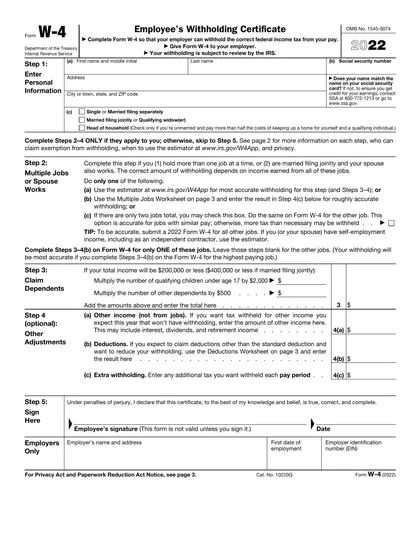
Fill Out Form W-2 (2023) Online
Download Form