
Fill Out Form W-2 (2020) Online
Report your employees’ earnings and tax withholdings for the year.
Get Form
This site is not affiliated with any government, tax, or other official agency. Form last updated: 07/2026. Please verify you are using the current, correct version for your situation before submitting it.
How it works
1. Open the form
Access the pre-loaded form directly in our PDF editor. No need to upload anything!
2. Fill in your details
Carefully complete all required fields to ensure accuracy and validity.
3. Download as PDF
Save your filled-out form in PDF format, ready for submission or other needs.
What is Form W-2?
Form W-2, Wage and Tax Statement, is an essential tax form that employers provide to employees each year. It details your total earnings and the taxes withheld during the year. This form is vital for filing your federal and state income tax returns accurately, as it informs the IRS of your earnings and the taxes you've already paid, helping you avoid errors or penalties. Without it, you cannot accurately complete your tax return or verify your earnings for Social Security benefits.
What is the 2020 version of Form W-2 used for?
You may need to complete Form W-2 for the year 2020 for these reasons:
- To report income and tax withholding accurately for the 2020 tax year when filing or amending a 2020 tax return.
- To correct or amend previous filings related to 2020 wages and taxes withheld (using Form W-2c if necessary).
- To satisfy documentation requirements for audits or tax inquiries about 2020 income.
- When filing a prior-year return for 2020 after missing the original deadline, since each tax year uses its corresponding form version.
- To maintain accurate employee records or verify past payroll and tax information for 2020.
How to fill out Form W-2?
Complete a Form W-2 for each employee paid $600 or more or if any taxes were withheld.
Enter accurate employee details: Social Security number, legal name, and address.
Include employer's identification number (EIN) and employer's legal address.
Report all taxable wages, tips, and other compensation in the designated boxes.
Indicate withheld income tax, Social Security, and Medicare taxes.
Who is required to fill out Form W-2 for 2020?
Anyone who missed filing in 2020, needs to report specific taxes like self-employment tax or IRA-related taxes, or is applying for loans may need to fill out Form W-2 for 2020. Using the old version can help avoid penalties and recover refunds.
When should you file Form W-2 for the year 2020?
The 2020 Form W-2, Wage and Tax Statement, is now considered late if filed in 2025. It was originally due by January 31, 2021. Late filings are accepted but may incur penalties based on how late they are and the size of the business. Employers should promptly issue corrected W-2s when errors are found. For 2025 filings, the deadline is February 2, 2026, due to January 31 falling on a Saturday.
How to get a blank Form W-2 for the year 2020?
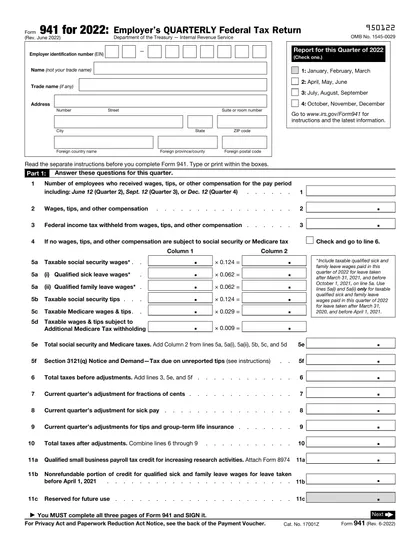
To get a blank Form W-2 for 2020, visit our website. The Internal Revenue Service (IRS) issues this form, and our platform already loads a blank version for you. Remember, CookPDF aids in filling and downloading, but not filing forms.
Do you need to sign Form W-2?
You do not need to sign Form W-2 as an employee. Employers are responsible for preparing and filing this form, so there's no signature required from you. Instead, remember that you will need to sign your tax return (Form 1040) when submitting it to the IRS. Always check for the latest updates to ensure you have the most current information. Use CookPDF to fill out your W-2, download it, and manage your tax documents efficiently.
Where to file Form W-2 for the year 2020?
To submit your 2020 Form W-2 in 2025, send it to the Social Security Administration (SSA) either electronically or by mail. Remember, late submissions may incur penalties.
If filing electronically, it's required for 250 or more forms. Otherwise, you can file on paper. To request an extension, submit Form 8809 before the original deadline.
Fill Out Form W-2 (2020) Online
Download Form