
This site is not affiliated with any government, tax, or other official agency. Form last updated: 07/2026. Please verify you are using the current, correct version for your situation before submitting it.
How it works
1. Open the form
Access the pre-loaded form directly in our PDF editor. No need to upload anything!
2. Fill in your details
Carefully complete all required fields to ensure accuracy and validity.
3. Download as PDF
Save your filled-out form in PDF format, ready for submission or other needs.
What is DA Form 268?
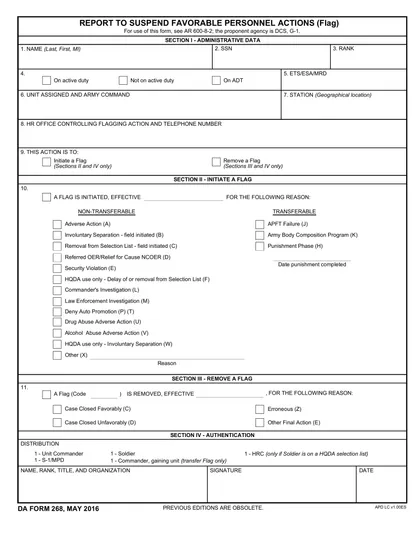
DA Form 268, also known as the "Report to Suspend Favorable Actions," is used by the U.S. Army to document and manage personnel actions. This form is important because it helps ensure that decisions related to promotions, awards, and other favorable actions are properly tracked when a soldier is under investigation or facing disciplinary action. Filling it out correctly is crucial for maintaining fair and accurate personnel records within the military.
What is DA Form 268 used for?
DA Form 268 is used in the military to manage personnel actions. It serves several purposes:
- to suspend favorable actions like promotions or awards.
- to initiate or remove flags indicating ineligibility for favorable actions.
- to track a soldier's status during investigations or administrative processes.
How to fill out DA Form 268?
Open DA Form 268 in the PDF editor.
Fill in the required fields, including the date, your name, and other details.
Indicate the type of action by checking the appropriate boxes.
Review all entries for accuracy.
Sign the form electronically if permitted.
Download the completed form for your records.
Submit the form to the relevant authority as instructed.
Who is required to fill out DA Form 268?
DA Form 268 is completed by military personnel and their supervisors for tracking actions.
After completion, it is used by commanders and administrative staff for record-keeping and management.
When is DA Form 268 not required?
Civilians and contractors do not need to complete DA Form 268 since this form is exclusively for U.S. Army personnel. It is used to initiate a suspension of favorable personnel actions, often related to disciplinary issues or performance failures.
Always consult your chain of command or personnel office for guidance on this form's applicability.
When is DA Form 268 due?
The deadline for DA Form 268 is determined by the specific situation it addresses. Typically, it should be submitted as soon as the need arises, often within a few days to ensure timely processing.
Always check with your unit or the relevant authority for precise deadlines. It's essential to submit the form promptly to avoid any delays in your request or action.
How to get a blank DA Form 268?
To get a blank DA Form 268, simply visit our website. The form is pre-loaded in our editor, so you can fill it out directly. Once completed, you can download it for your records.
How to sign DA Form 268 online?
To sign DA Form 268 online using CookPDF, first, open the form in the PDF editor by clicking "Fill Form." Complete the necessary fields in the form, ensuring all information is accurate. Once finished, you can create a simple electronic signature using the tools provided.
After signing, click "Done" to download your completed form. For specific signature requirements, it’s important to consult official sources for guidance to ensure compliance with regulations.
Where to file DA Form 268?
When it comes to filing DA Form 268, you cannot submit it online. You must complete the form and then print it for submission.
After filling out the form, you can mail it to the appropriate office or deliver it in person. Always check for the correct address.
Frequently asked questions
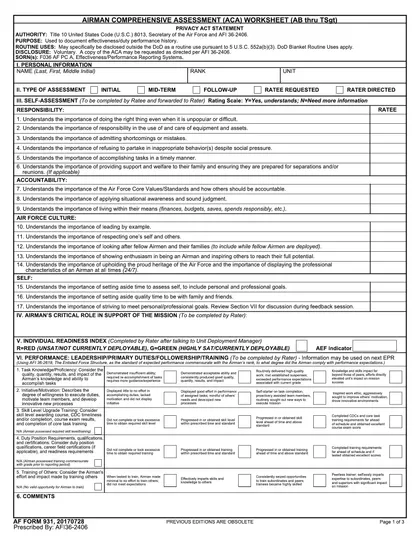
Fill out DA Form 268 Online in 2026
Download Form